
Foundra — a storefront template built for Solidshop.
Foundra is the official Solidshop template for Joomla 6. Five commerce presets out of the box, full dark-mode support, RTL-ready, and a complete override set for every Solidshop view — product page, category, cart, checkout, account. Drop it on your site, pick a preset, and you have a polished storefront.
A template that knows what a storefront needs to look like.
Foundra is built and tailored for Solidshop. Every layout it ships — product card, media gallery, cart drawer, checkout address forms, account sidebar, invoice view — is a dedicated Solidshop override, designed for selling, not retro-fitted from an article view. Other Joomla templates start with a content site and then awkwardly fit commerce on top; Foundra is the opposite.
No framework. Just clean, modern CSS. Most Joomla templates today are built on heavy frameworks — powerful, but often overwhelming, overly complicated, and slow. Foundra takes it back to the basics: hand-written semantic HTML, CSS custom properties, and a small slice of vanilla JavaScript. Nothing to learn, nothing to fight with, nothing to wait for. Fast in the browser, easy to read, and trivial to customise — open a file, change a token, you're done.
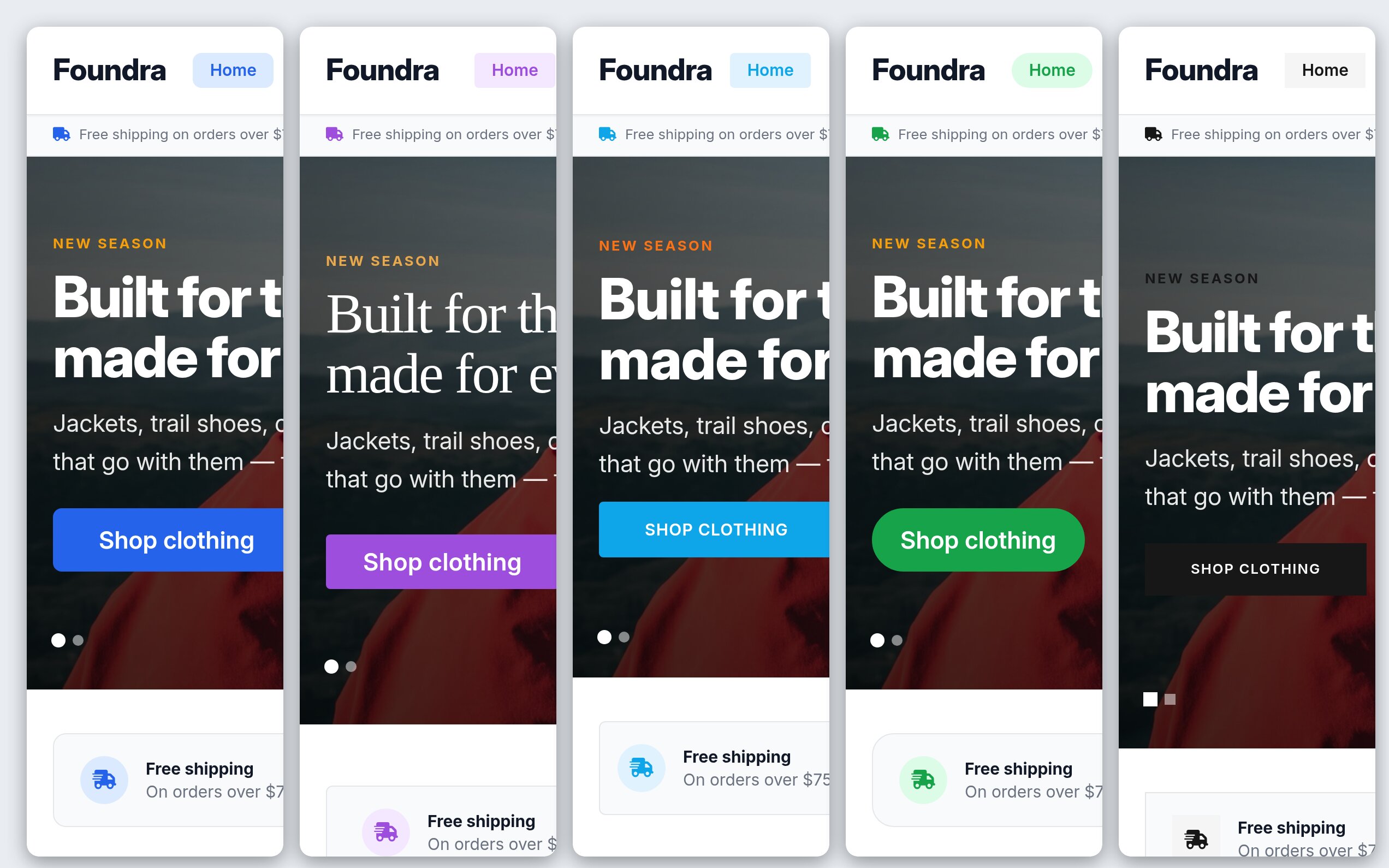
Pick from five presets (default, boutique, electronics, marketplace, minimal), choose your primary and accent colour, a header and a footer, the corners and a heading and body font, and you have a brand in minutes. On Solidshop 1.8.0 you do it in Solidshop’s own Look screen, beside a preview of your home page. Toggle dark mode auto, light, dark, or expose a switcher to your customers.
We eat our own dog food. The site you're reading this on — www.solidshop.app — runs on a customised Foundra template. Same files, same approach, same constraints we ship to you. If it can hold up our marketing, docs, blog, and pricing pages, it can hold up your storefront.
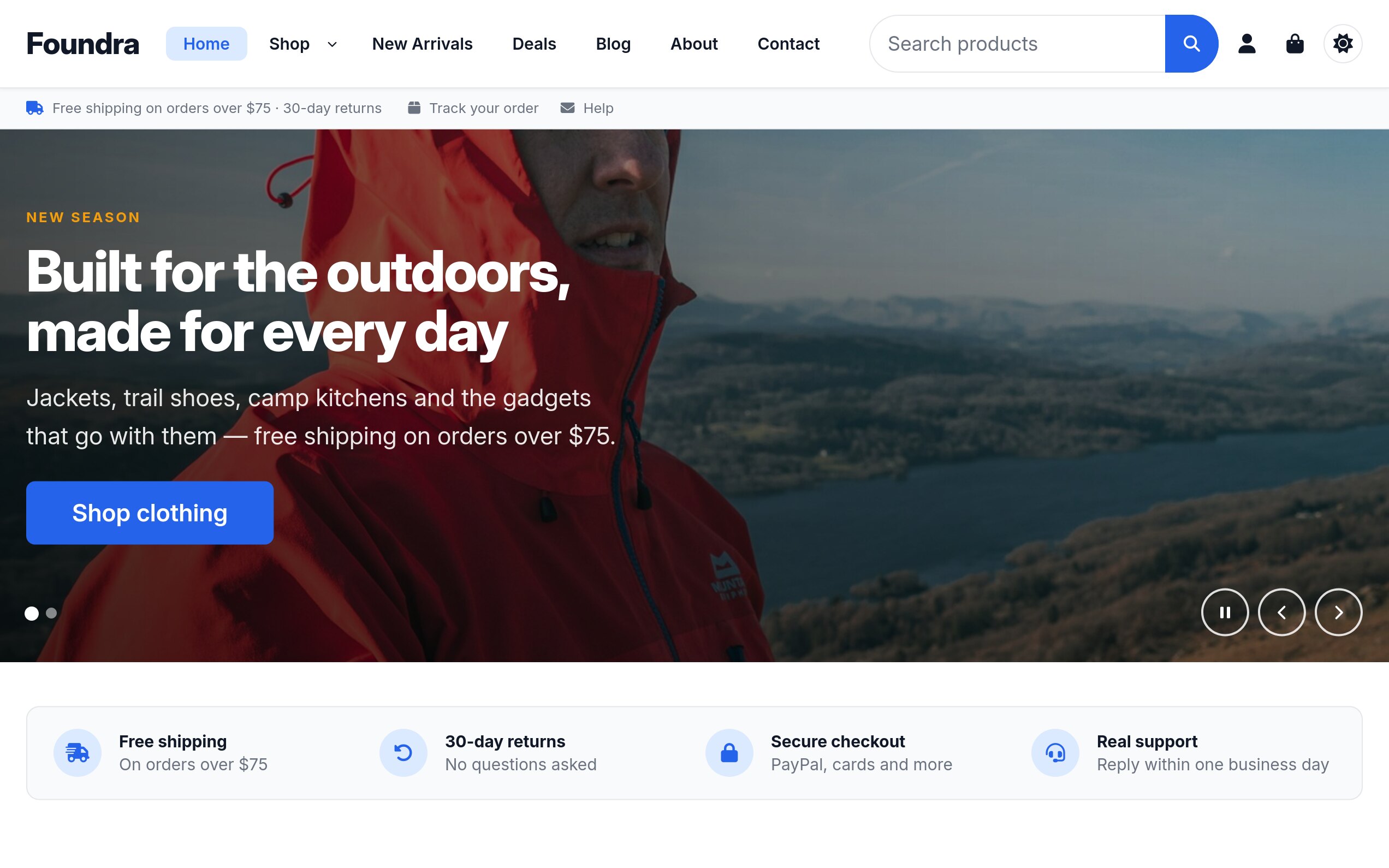
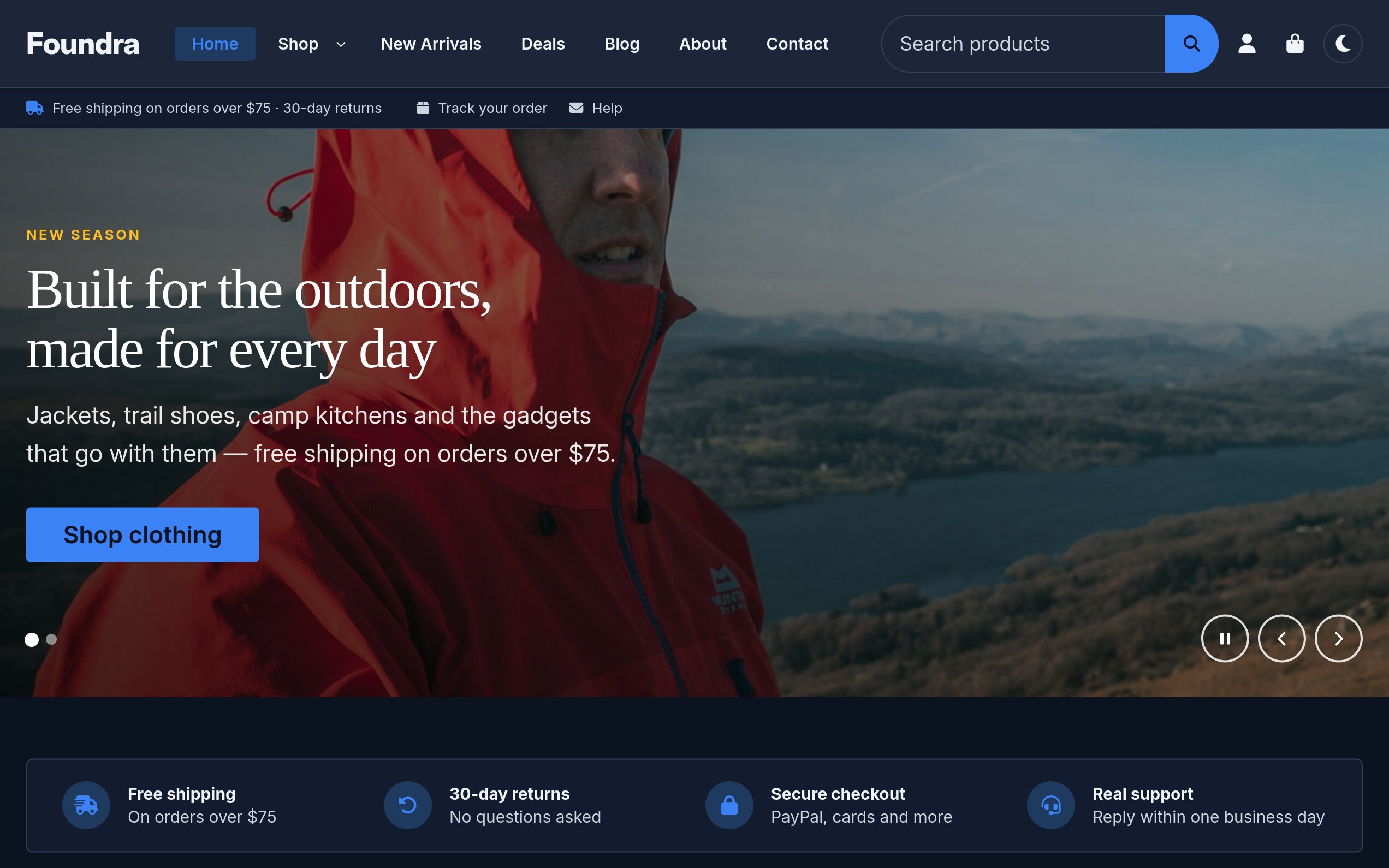
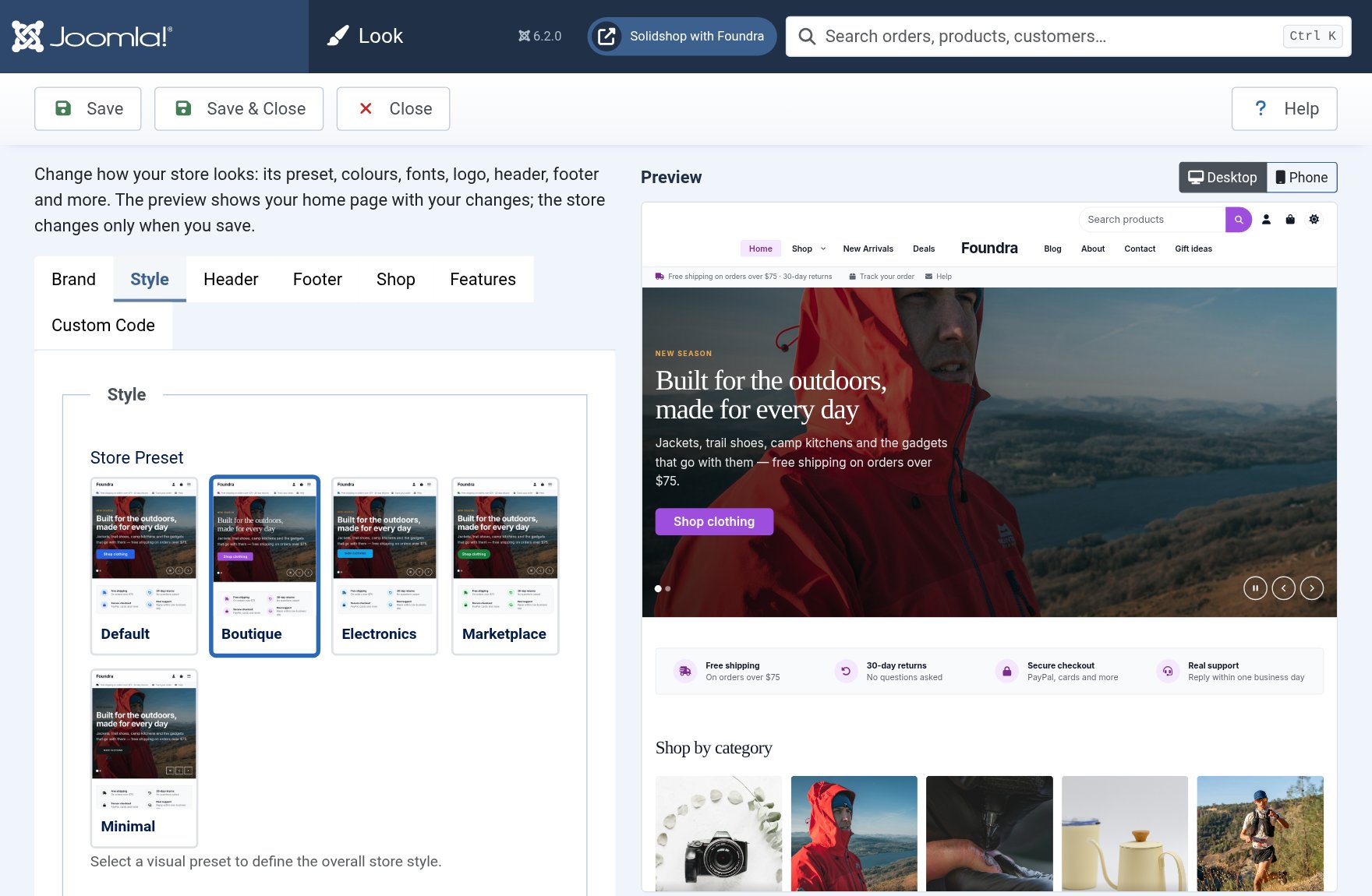
Change the look beside a live preview.
Foundra 1.2.0 turns the look of a store into a set of choices: four header layouts, a header and footer colour, a header lying transparent over the hero, a page background, corners, a heading font beside the body font, and the shape of the product picture. Two Foundra stores set up from these alone no longer read as the same template.
On Solidshop 1.8.0 you make those choices in Solidshop › Configuration › Look, beside a preview of your home page drawn with your changes before they are saved, at desktop or phone width. A member of staff with an Administrator account can use it without access to Template Styles. On Solidshop 1.7.0 the same options are in Template Styles. See changing the look of your store.
Everything a Solidshop store needs.
Tailored for Solidshop
Foundra isn't a generic theme with a commerce skin. It is built around Solidshop — every storefront view, every account screen, every checkout step has a dedicated override designed for selling.
No framework, just the basics
No Tailwind, no utility soup, no extra UI framework, no build chain to learn. Foundra is plain semantic HTML and modern CSS — small, fast, and easy to read. Open a stylesheet, change a token, see the result. Customising it doesn't require fluency in someone else's framework.
Five commerce presets
Default, boutique, electronics, marketplace, and minimal. Switch presets on the Look screen, where each one is a picture of a store wearing it, or in Template Styles — each preset adjusts spacing, density, card style, and emphasis without touching your CSS.
Header and footer, your way
Four header layouts: the logo on the left, the logo in the middle with the menu below, a large logo above the menu, or the menu split either side of the logo. A plain, primary or dark header, lying transparent over the hero if you like, pinned or scrolling away. A footer in columns or centered under the logo, in dark, plain or primary.
Heading and body fonts
A heading font and a body font, each from the visitor’s device (system, sans-serif, serif) or from four faces Foundra ships: Inter, Manrope, EB Garamond and Noto Serif Display. They are served from your own site, cut per script (Latin, Vietnamese, Cyrillic and Greek) and loaded only when chosen.
Full Solidshop overrides
Dedicated Foundra layouts for product cards, media galleries, name, price, quantity, variant pickers, share/wishlist, cart, checkout addresses, account sidebar, invoice, and more — no inherited Bootstrap styling shining through.
Layouts of its own for the storefront modules
Picked from a module’s Layout option, no override to write. For the category tiles: editorial — one large feature tile, the rest beside it; compact — a row of small thumbnails for a sidebar or a thin band; cards — picture on top, name on a bordered panel below, for pictures an overlaid label would fight. For the slideshow: split, centered and banner.
Your whole site, not just the shop
An About page, a blog, a contact form and the sign-in screens are Joomla’s, not Solidshop’s — and on most templates they look it. Foundra styles them too: articles, the category blog, the article module you would use for a “From the blog” strip, the contact page and every step of registration and password reset, all on the same cards and spacing as the product pages.
Dark mode — four ways
Force light, force dark, follow the visitor's prefers-color-scheme, or
expose a toggle in your header. CSS custom-property tokens keep contrast accurate
across both themes.
RTL-ready
Built on CSS logical properties (margin-inline-start,
inset-inline-end and friends) so the entire storefront mirrors cleanly for
Arabic, Hebrew, Persian, and any other RTL audience.
19 module positions
Banner, top, header, nav, breadcrumb, full-width, sidebars, content top/bottom, four footer columns plus a footer-bottom strip and full-width header/footer slots. Promotional content, search, banners — drop them where you need them.
Tuneable container, corners and cards
Pick 1140 / 1320 / 1536px or fluid containers, 2/3/4 products per row, three product-card styles (standard, overlay, minimal) with square, portrait or landscape pictures, sharp, softly rounded or round corners, and a soft grey, warm or tinted page background.
Inheritable template
Use Joomla 6's template inheritance to create child themes that override individual layouts without forking the whole template. Upgrade Foundra; keep your tweaks.
Custom code slots
Inject analytics, custom CSS or JS, head tags, or body-start / body-end snippets from the template parameter editor — no template patching required.
Pixel tour
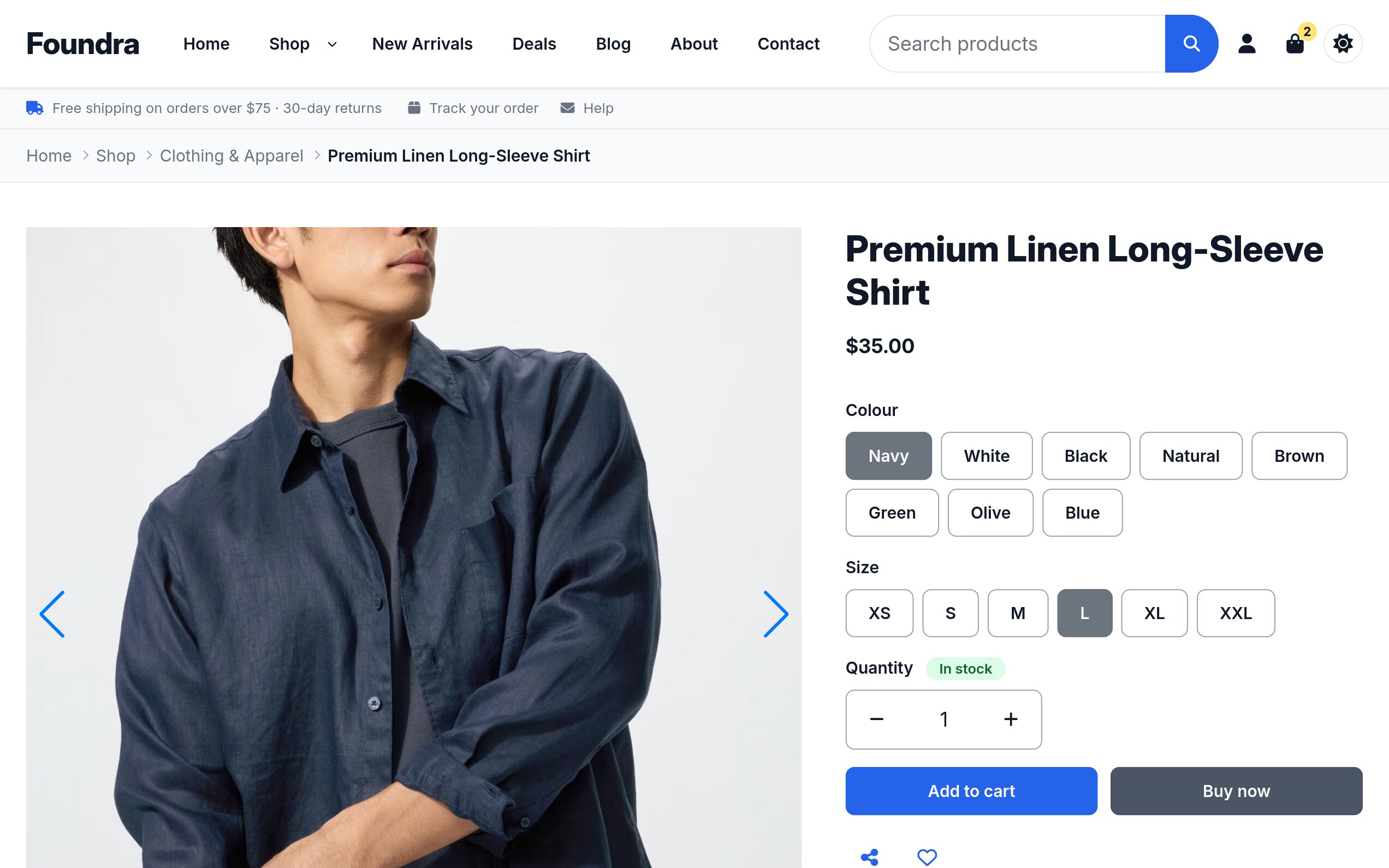
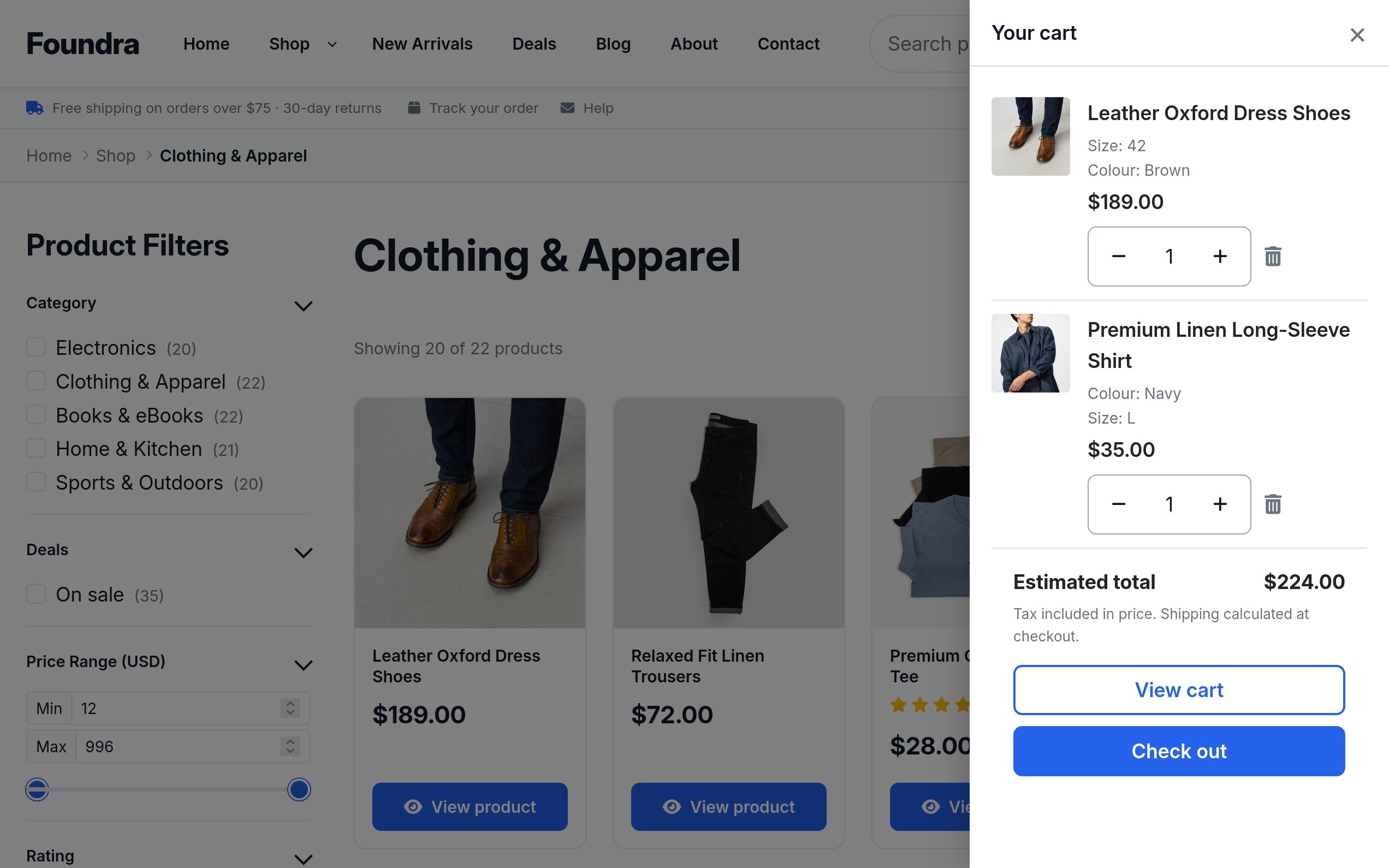
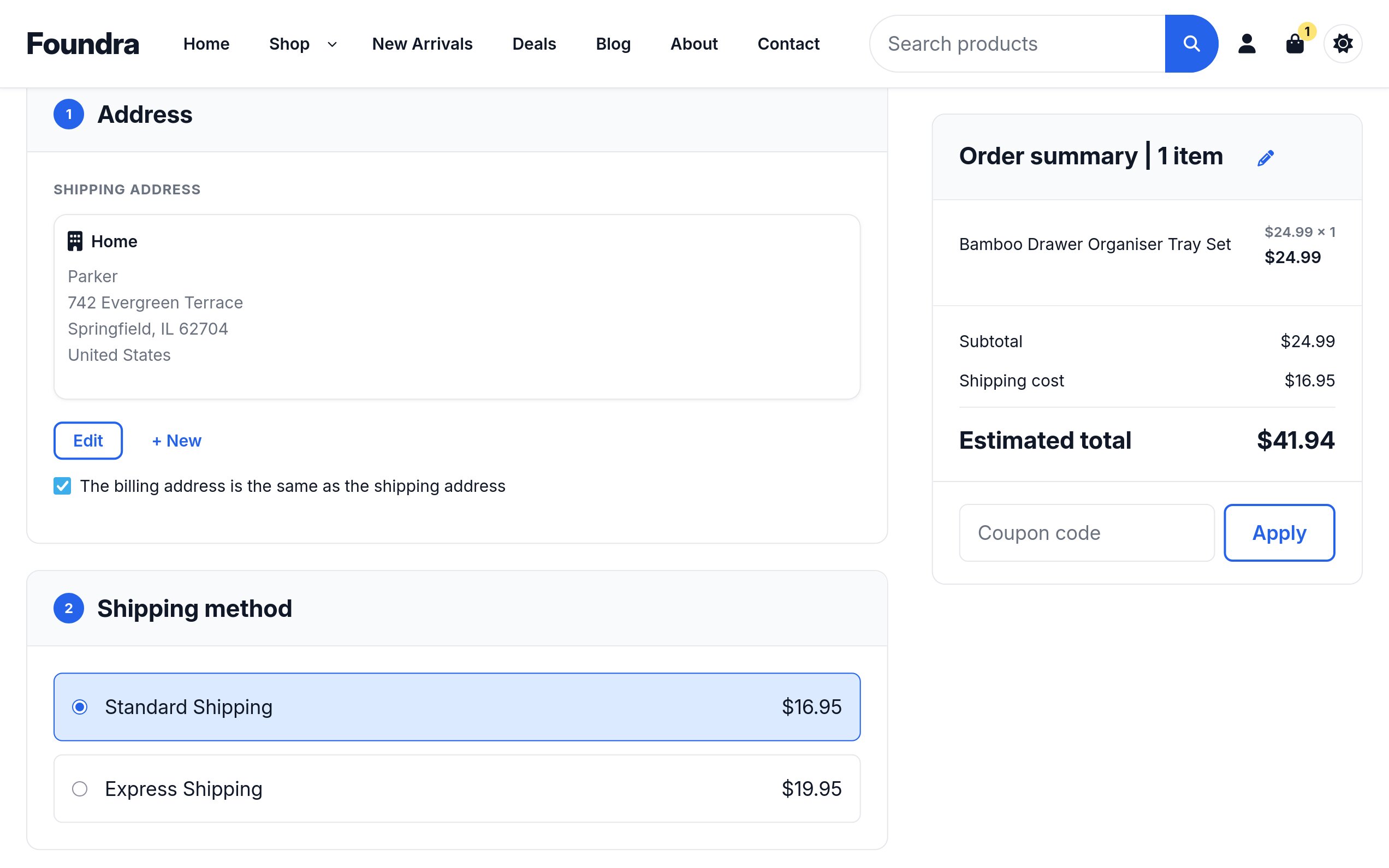
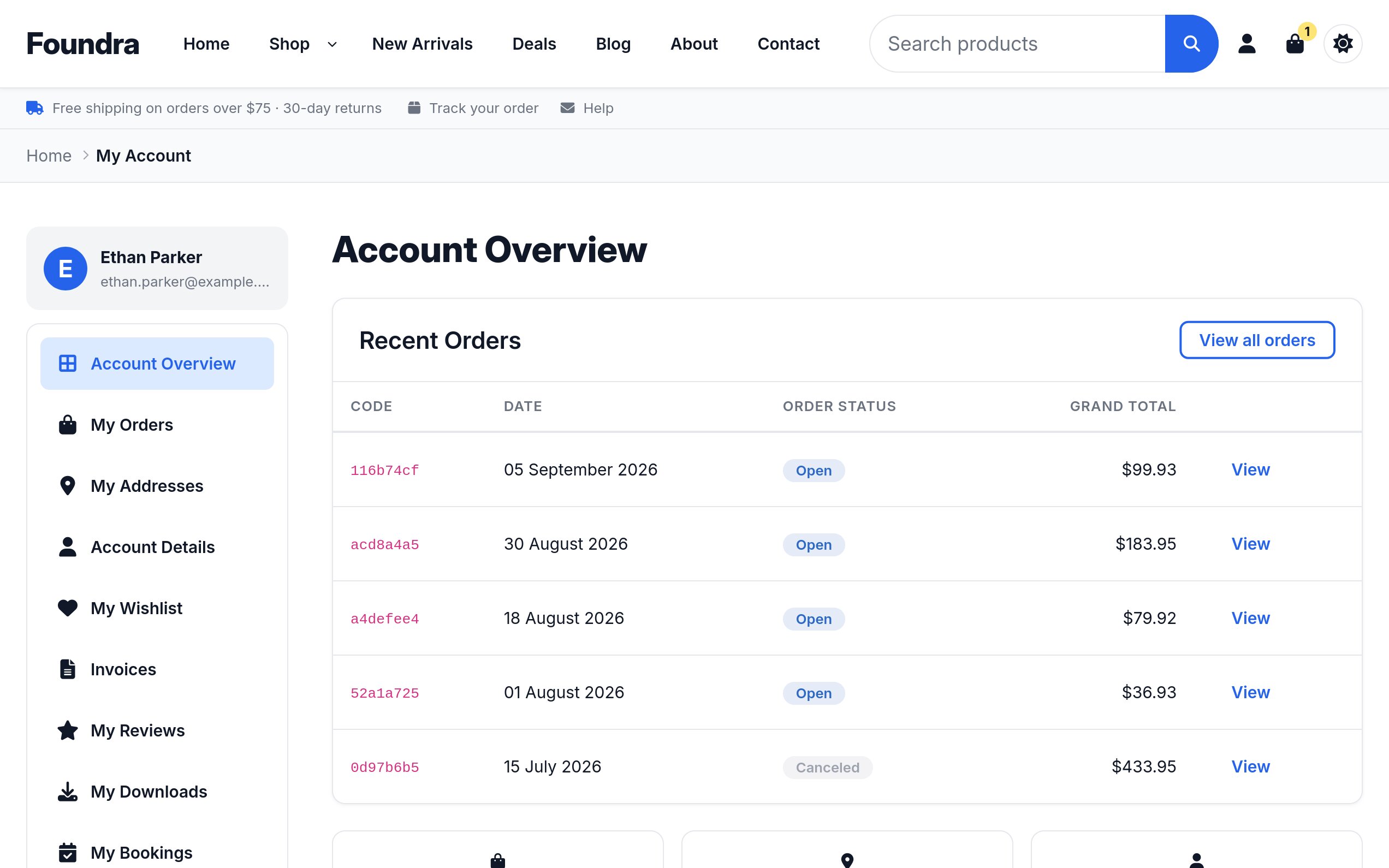
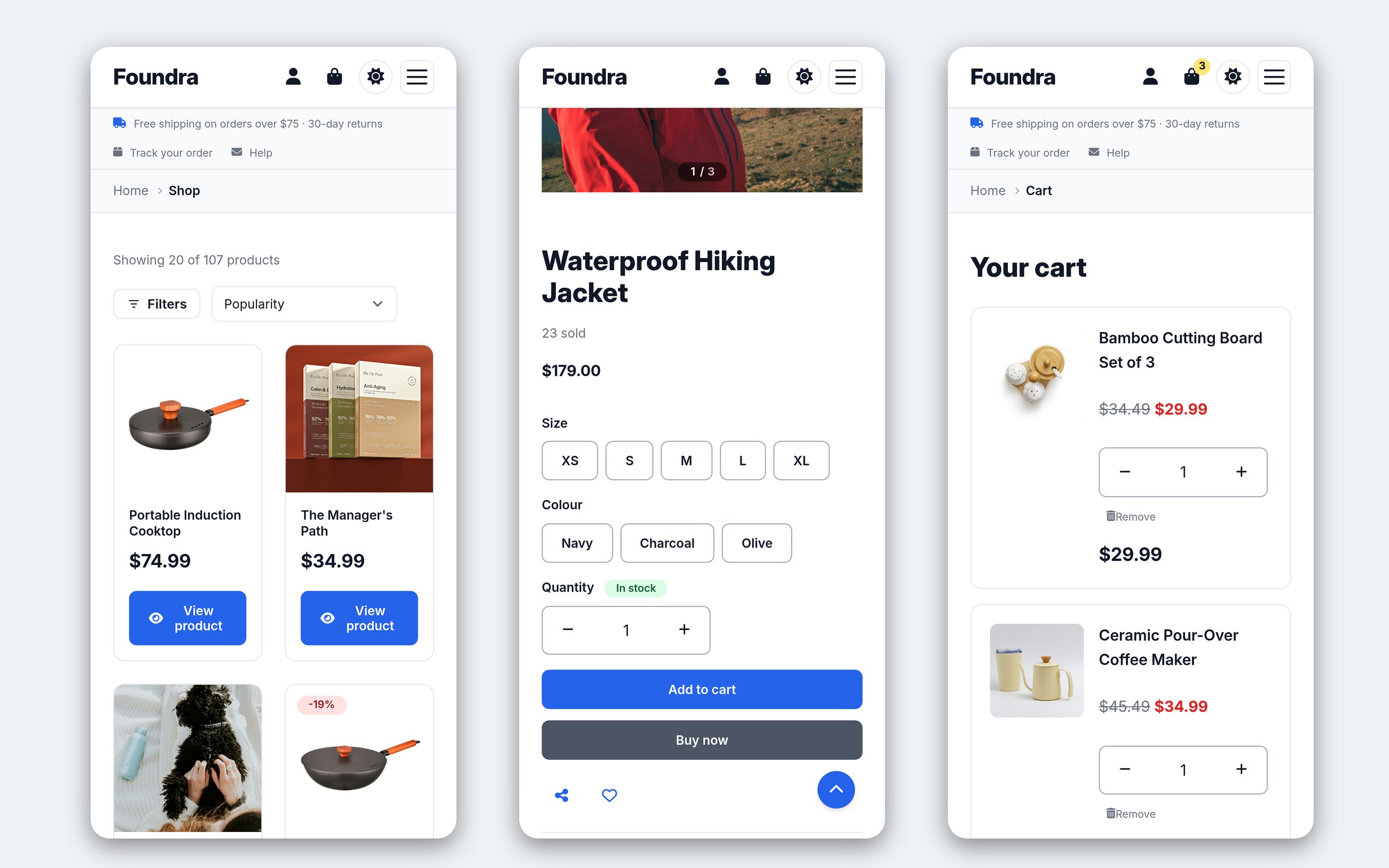
What's inside.
| Extension type | Joomla 6 site template (tpl_foundra) |
|---|---|
| Compatibility | Joomla 6.x+ · PHP 8.4+ · Solidshop 1.7.0+ (the Look screen needs 1.8.0) |
| Licence | GNU General Public License v3 |
| Presets | Default, Boutique, Electronics, Marketplace, Minimal |
| Header layouts | Logo on the left, logo in the middle with the menu below, large logo above the menu, menu split either side of the logo |
| Fonts | System, sans-serif or serif from the visitor’s device, or Inter, Manrope, EB Garamond and Noto Serif Display, served from your site |
| Languages | 23 locales bundled (EN, ES, FR, DE, IT, PT-BR, NL, AR, HE, FA, ZH-CN/TW, JA, KO, RU, TR, VI, TH, ID, PL, CS, EL, HI) |
| Module positions | 19 named positions |
| Container widths | 1140 / 1320 / 1536 px (and fluid) |
| Solidshop overrides | Every storefront view — product page, listing, cart, checkout, order tracking, wishlist and all customer account pages — plus the product card, media gallery, price, options, variants, quantity, share / wishlist, mini-cart drawer, address forms, account sidebar, promotion notices and invoice layouts |
| Module overrides | Mini-cart, products, slideshow (+ split, centered, banner layouts), categories (+ editorial, compact, cards layouts), brands, recently viewed, reviews, language switcher, breadcrumbs, pagination |
| Joomla views styled | Articles and the category blog, the Contact page, sign-in, registration, password reset and profile, the Articles module, error and offline pages |
| Update channel | 12 months of updates included; renew at 30% off thereafter |
Latest release
1.2.0
StableThe look of a store becomes a set of choices: four header layouts, a header and footer colour, a transparent header over the hero, a centered footer, a page background, corners, a heading font beside the body font with four faces served from the site, and the shape of the product card's picture. Two Foundra stores set up from these alone no longer read as the same template. Every choice is a template option, so it is edited in Template Styles and, on Solidshop 1.8.0, in the new Look screen beside a live preview. Still runs on Solidshop 1.7.0, where the Look screen is absent and the options are reached through Template Styles.
Added
- Header layout. Logo on the left (the header as it was), Logo in the middle, menu below, Large logo above the menu and Menu split either side of the logo, the boutique header. The centered and split layouts put the search, cart and account controls on a strip above; on phones every layout is the same bar with the menu in the drawer. The split header renders the menu as two lists through a Foundra layout for the Menu module that is otherwise Joomla's own
- Header colour. Plain (the page's surface), Primary colour or Dark. The menu, its hover pills, the icons, the theme and menu toggles and the store notices bar below the header follow the colour; dropdown panels keep the page's surface. A coloured header shows the dark-mode logo when one is set, and so does the transparent header while it lies over the hero
- Header position and Pin the header. The old Header Style is now the layout and, separately, whether the header lies transparent over the first block of the page; a store can also let the header scroll away
- Footer layout and colour. Columns or Centered, which opens with the logo and lays the modules out in one column with menus as a row of links; Dark (as it was), Plain or Primary colour. The footer's colours are tokens, so the social icons, the contact lines, the currency switcher and the bottom strip follow the choice
- Page background and corners. Soft grey, Warm and Tinted with the primary colour behind any preset, each with a dark-mode shade; Sharp, Softly rounded and Round corners on cards, inputs and buttons, buttons becoming pills on Round. Preset default keeps the preset's own, so no store changes on update
- Heading font and body font, each chosen from fonts on the visitor's device (System, Sans-serif, Serif) or the four faces Foundra now ships: Inter, Manrope, EB Garamond and, for headings, Noto Serif Display. The shipped faces are subsetted per script (Latin, Latin extended with Vietnamese, Cyrillic, Greek) and served from the site, one small file per face on most pages, preloaded only when chosen; the default style still loads no font. The old Font Family becomes the body font on update
- Product picture ratio. Square, Portrait or Landscape on product cards, over the preset's own
- Pictures of the presets for the Look screen's preset picker
- Per-page body classes — the component, view, layout, task, menu item and page class, as Cassiopeia writes them — so Custom CSS can target one page
- Custom CSS is a CodeMirror editor, applies to the error, offline and component pages too, and takes CSS only:
@importrules are removed - The Look screen's preview. The template draws the home page with the values the Look screen signs, when Solidshop 1.8.0 is installed
Changed
- The template options are grouped in tabs: Brand, Style, Header, Footer, Shop, Features and Custom Code
- The header's and footer's colours, the buttons' radius and the card's picture ratio are tokens (
--foundra-header-*,--foundra-footer-*,--foundra-radius-button,--foundra-card-ratio), so a child template or Custom CSS can re-point them in one rule - The Inter the system font stack falls back to on Linux is the shipped subset, fetched only where no native font of the stack exists
Fixed
- The header's dropdown menus open on hover, keyboard and touch again on Joomla 6.1 and later. Joomla 6.1's menu script marks every submenu hidden for assistive technology when the page loads, and Joomla's menu stylesheet hides a submenu so marked; Foundra's hover rule only changed the panel's opacity, so on Joomla 6.1 and 6.2 a dropdown opened only from the chevron button. The panel keeps its box now, and the template script opens and closes it on hover, on focus, from the chevron and on a tap, keeping the hidden flag and the button's expanded state in step with what is on screen; Escape closes it. The drawer's submenu toggle reports its state the same way, and no longer fights Joomla's click handler
- The transparent header showed the light logo over the hero photo
- The checkout no longer shows its e-mail error before anything is typed. "The email address must be valid and cannot be left blank." was on screen from the moment the checkout opened. It now appears only when the address given is not valid, and goes once it is
- Red reads in dark mode. Sale prices, field errors and required-field stars were 3.1:1 on a dark card, and a red button's label 3.9:1; the dark red is lighter now and clears 5.4:1. A focused or hovered outlined button, such as the checkout's Continue, kept a dark label on dark grey (2.5:1) and now fills with a light grey
A polished storefront in an afternoon.
One-time purchase. No platform commission, no recurring fees, GPL-3 source you can read and modify. Renew at 30% off after 12 months to keep getting updates.