
Square — your web shop, paid on Square’s own checkout page.
Shoppers pay on a page Square hosts, with the cards, Apple Pay, Google Pay and other methods Square offers your account, and the money goes into your own Square account. The order reaches Square line by line and is charged to the cent. The webhook sets itself up when you save the store, and every payment is checked with Square before an order is marked paid.
Already on Square? Your web shop pays into the same account.
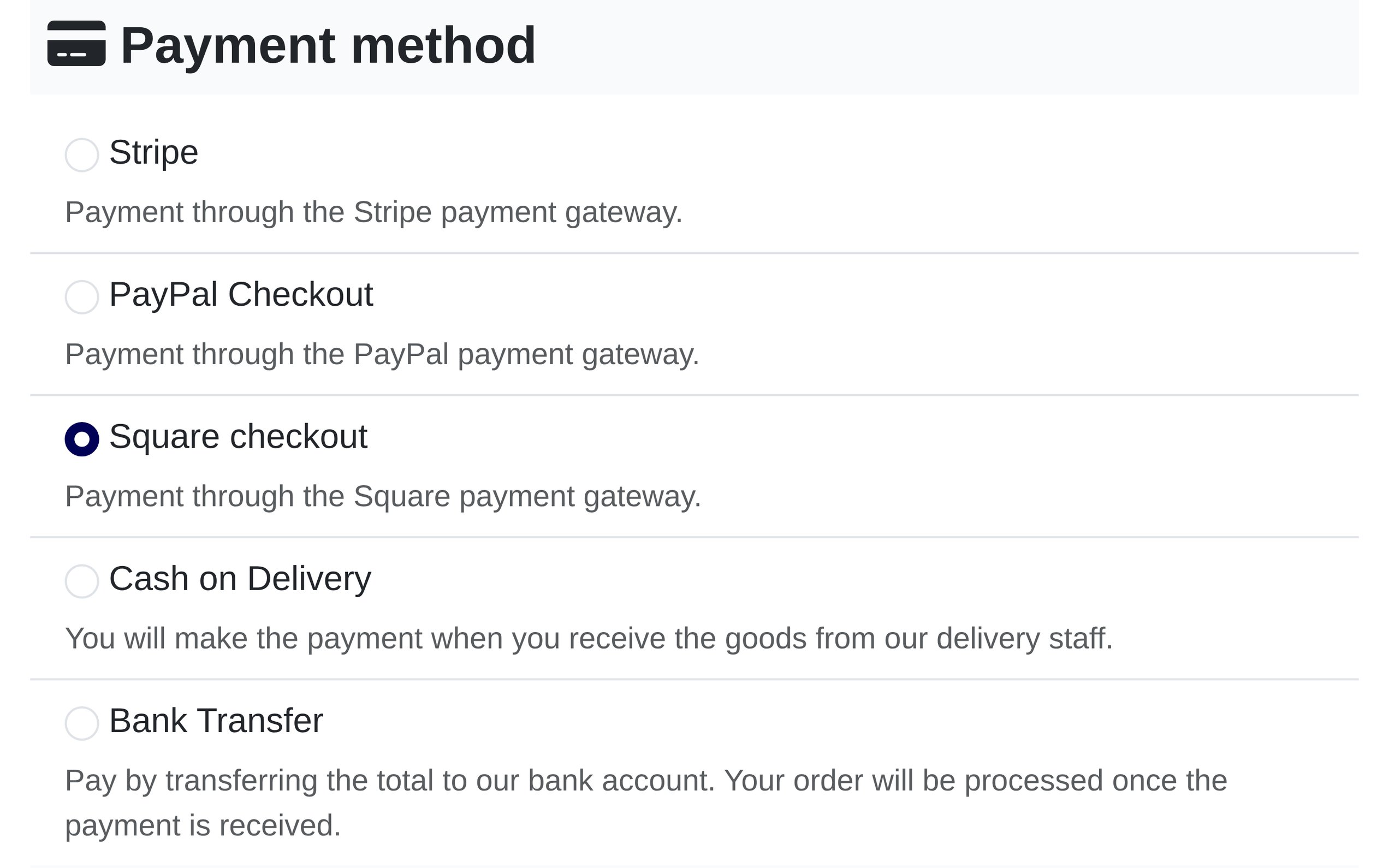
When a shopper chooses Square checkout and places the order, Solidshop sends the order to Square and takes the shopper to Square’s checkout page. They pay there, and Square sends them back to your order confirmation. Card details are entered on Square’s page and never reach your site.
The money lands in your own Square account, booked to the location you choose, so online orders sit in the same Square Dashboard as the sales you ring up in person. Before an order is marked paid, the plugin checks the payment against Square’s own record — never the browser’s word.
Setup and every option are covered in the Square plugin documentation.
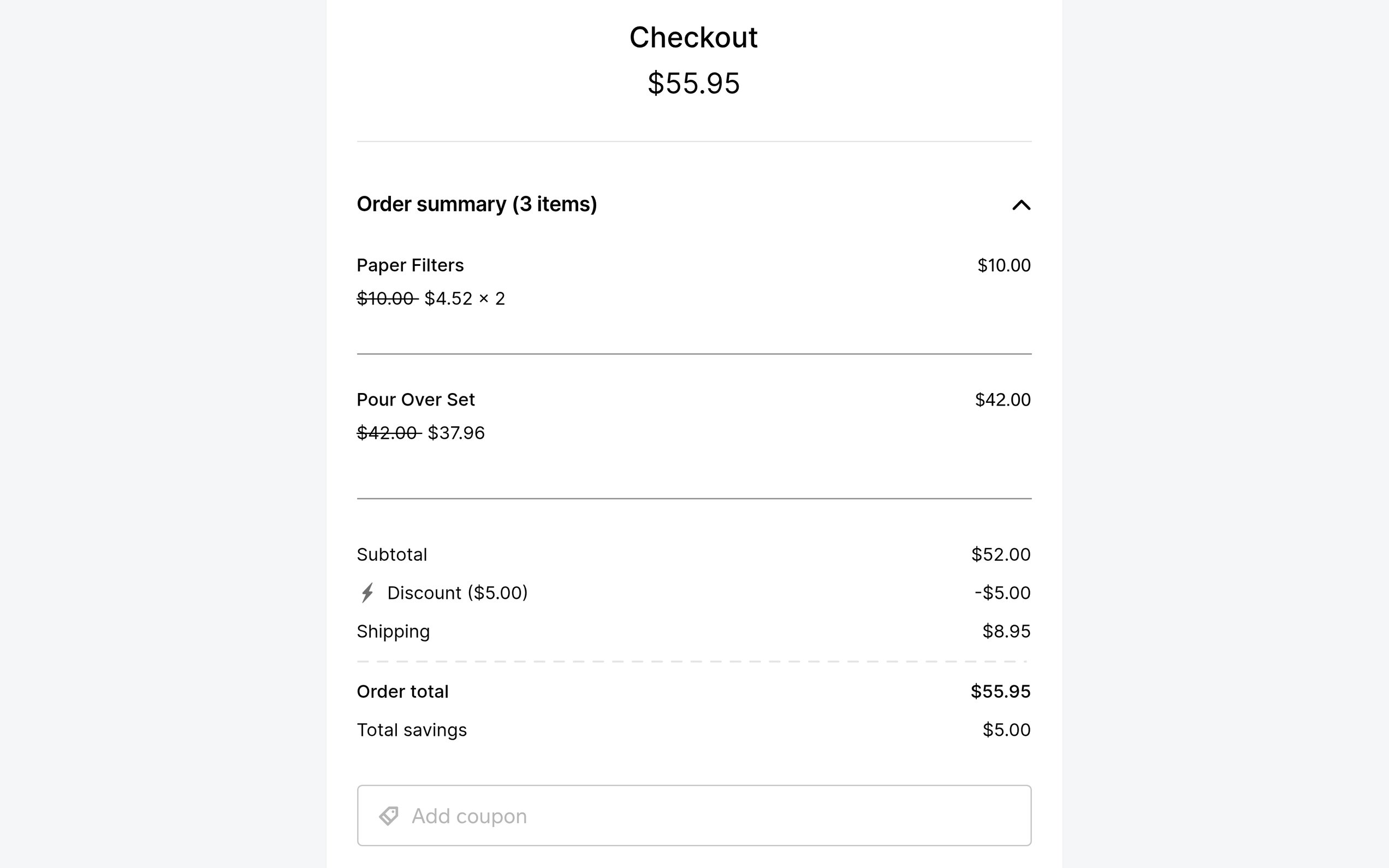
Square’s checkout page, Solidshop’s order.
Square’s own checkout page
The shopper pays on a page Square hosts, with the methods Square offers your account there — cards, Apple Pay, Google Pay and more. Which ones appear is up to Square and your account, not the plugin. Your checkout carries no card form, and Square’s page asks for no tip.
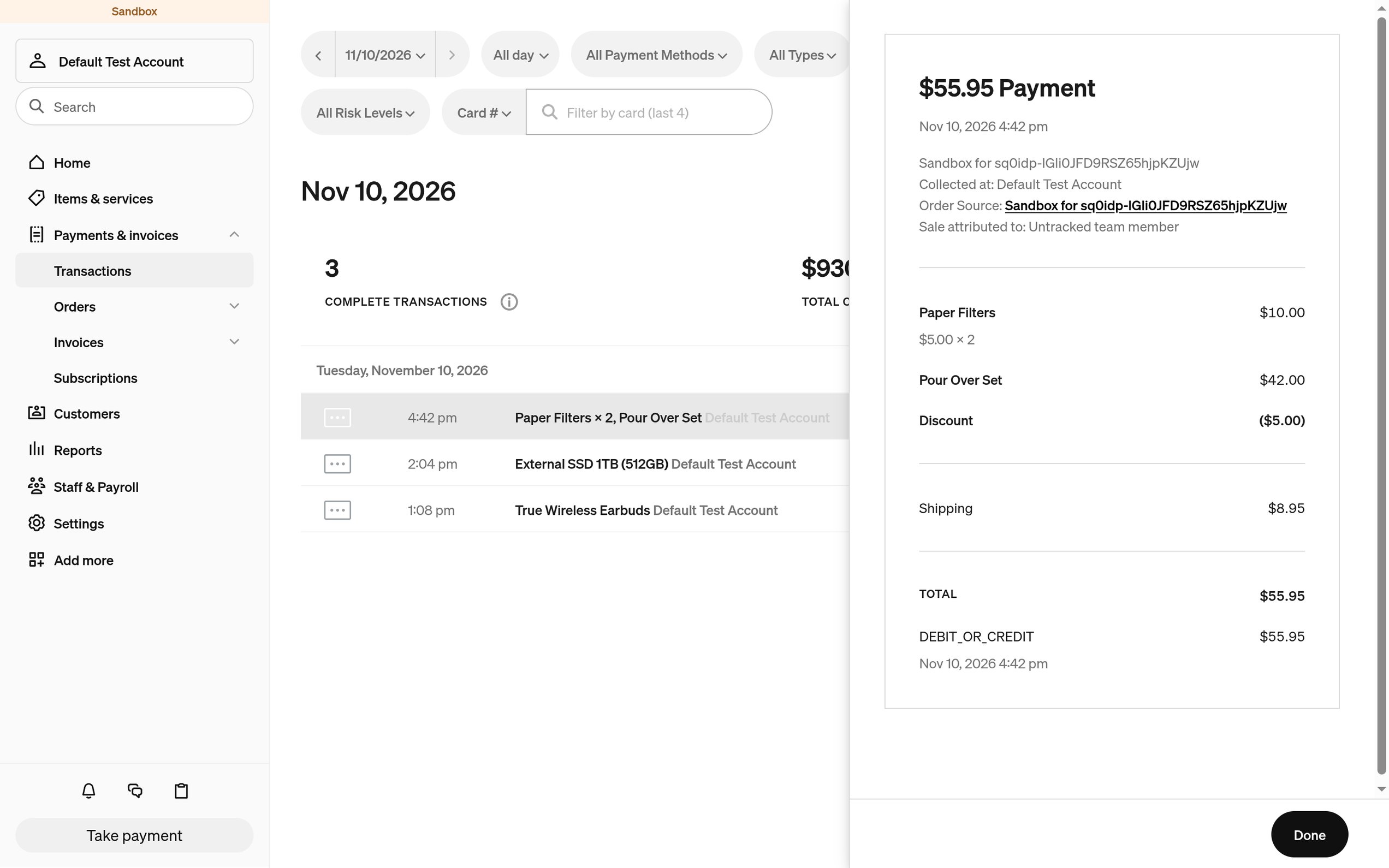
An itemised Square order
Each product goes to Square with its variant and quantity, then shipping, the payment fee, the tax on stores whose prices leave it out, and the discount, each on its own line. The shopper pays the order’s total to the cent, and the Square order carries the Solidshop order reference.
Checked with Square on the way back
Coming back from Square proves only that the browser was sent back. Before the confirmation page shows anything, the plugin asks Square how the payment went. A completed payment shows a paid order straight away. If every attempt failed, the shopper is back at the checkout with their cart, and no confirmation e-mail goes out.
Recorded even if they close the tab
Square’s payment.updated webhook records the payment of a shopper who
pays and never comes back. A declined card changes nothing — they can try another on
the same page — and a payment for less than the total is recorded as
Partially paid.
A webhook that registers itself
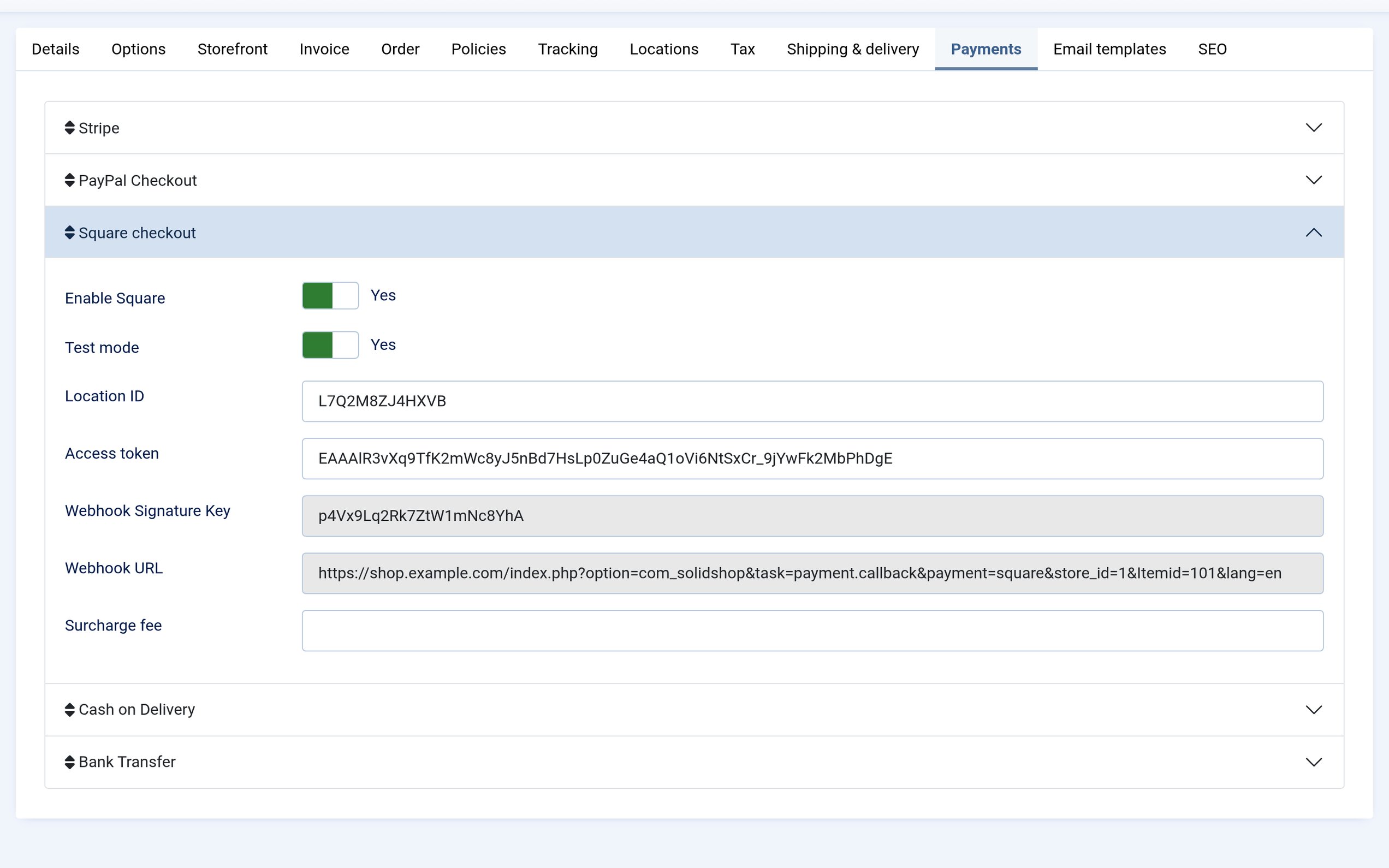
Save the store and Solidshop subscribes it to Square’s payment updates, keeping the signature key and address with the store’s settings. No webhook to create by hand. If Square can’t be reached or refuses the token, the store still saves and a warning gives Square’s reason — before any shopper meets it.
Only this store’s payments
Square sends the webhook every payment in your account, sales on your Square devices included. Each request is checked against the store’s signature key, and only payments for that store’s own Square orders are recorded; the rest are acknowledged and ignored. A late or repeated update never sets a refunded order back to Paid.
Sandbox and production, per store
Every store keeps a sandbox and a production pair of location ID and access token on its Payments tab, with its own webhook, so stores can use separate Square accounts or share one. One Test mode switch picks the pair, and switching back loses nothing.
Works on a local site
Because the payment is checked when the shopper comes back, a site Square can’t reach
— one on localhost, say — still records its payments. Try a sandbox
order on your development copy before the site goes online.
Optional surcharge
Pass Square’s processing cost on with a flat fee. It is added to the order as a Payment fee line when the shopper picks Square, and shows on Square’s page as its own line. Leave it empty to pay the cost yourself.
Refunds in the Square Dashboard
The plugin doesn’t refund from Solidshop. Refund in the Square Dashboard, in full or in part, then set the order to Refunded or Partially refunded. Refunded returns the stock, as it does for any order.
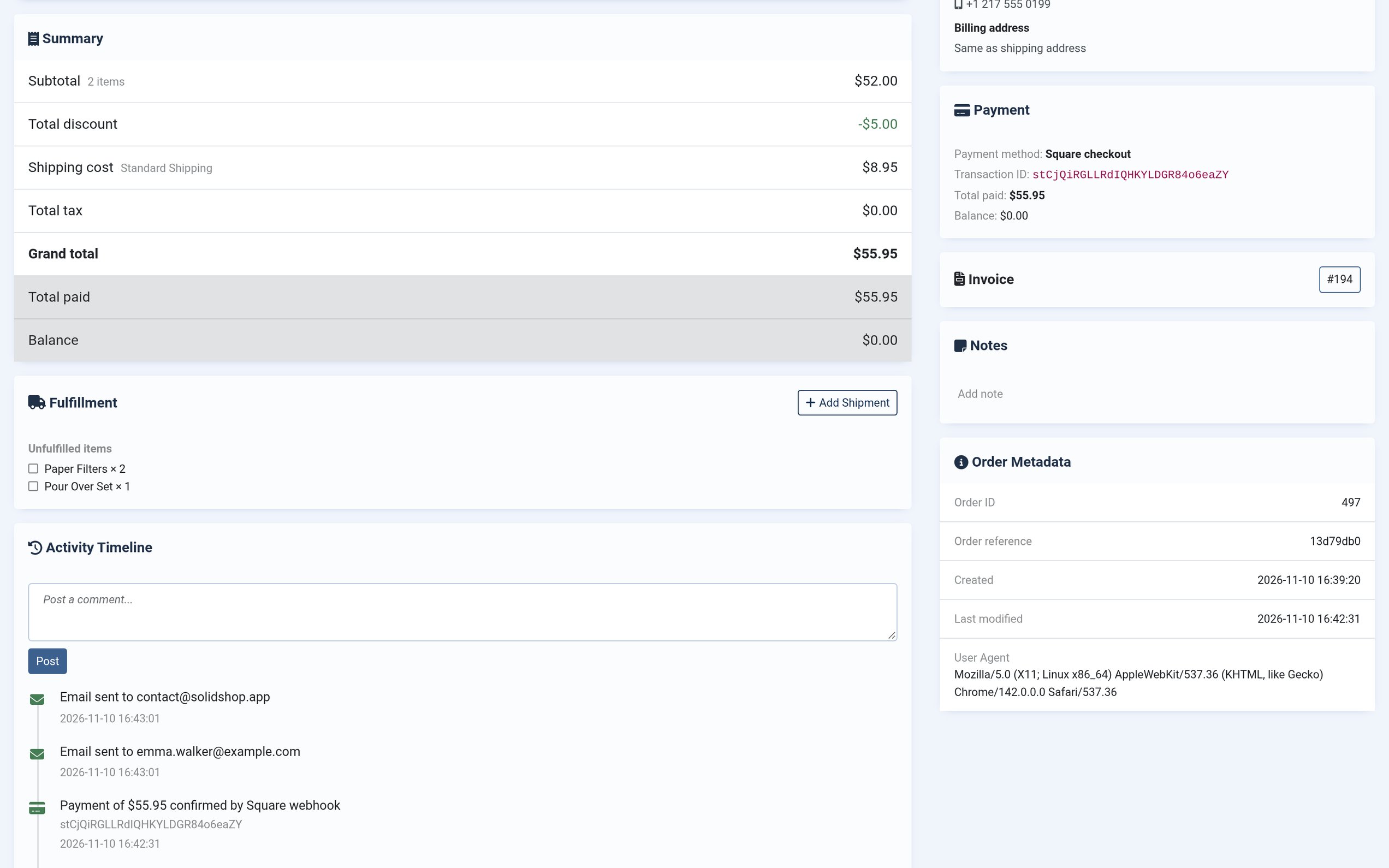
From the store screen to a paid order
What's inside.
| Extension type | Solidshop payment plugin (plg_solidshoppayment_square) |
|---|---|
| Compatibility | Joomla 6.x+ · PHP 8.4+ · Solidshop 1.8.0+ |
| Licence | GNU General Public License v3 |
| Square API | Checkout payment links, Orders, Payments and webhook subscriptions, through the bundled Square PHP SDK |
| Methods supported | Those Square offers your account on its checkout page: cards, Apple Pay, Google Pay and more |
| Square order | Products with variant and quantity, shipping, payment fee, tax (stores with tax-exclusive prices), discount · the Solidshop order reference as its reference ID |
| Payment confirmation | Checked with Square when the shopper returns · payment.updated webhook, HMAC-signed, for shoppers who don’t · partial payments recorded as Partially paid |
| On the order | Square payment ID as the transaction ID · an Activity Timeline entry per payment · a log of every payment event and rejected webhook |
| Modes | Sandbox & production, both credentials stored per store |
| Currency | The store’s currency, which must be the Square location’s currency |
| Refunds | In the Square Dashboard; set the order’s payment status to match |
| Settings | Per store, on the store’s Payments tab |
| Languages | 23 admin locales bundled |
| Update channel | 12 months of updates included; renew at 30% off thereafter |
Latest release
1.0.0
StableFirst public release of the Square payment plugin for Solidshop (plg_solidshoppayment_square). Establishes the baseline that all future changelog entries are deltas against.
Added
- Shoppers pay on Square's hosted checkout page, into the merchant's own Square account, with the methods Square offers there for that account (cards, Apple Pay, Google Pay and more). Card details are entered on Square's page and never reach the store's site.
- The order arrives at Square itemised: each product with its quantity and variant, then shipping, the payment fee and, on stores whose prices leave tax out, the tax, each on its own line, less the order's discount. The shopper is charged the order's grand total to the cent, and the Square order carries the Solidshop order reference.
- Sandbox and production credentials side by side (location ID and access token), with a per-store test-mode switch.
- The webhook registers itself: saving a store with Square switched on subscribes the store's own callback address to Square's payment updates and keeps the signature key and the address with the store's settings. Saving again after changing credentials, or after moving the site, registers again. A store saves whether or not Square can be reached; registering only adds a warning when it fails.
- The payment is confirmed when the shopper comes back from Square, from Square's own record of the order's payment, so the confirmation page shows a paid order straight away; a site Square cannot reach, such as one on localhost, still records its payments that way. The webhook confirms payments whose shopper never comes back.
- A payment that takes less than the order total records the order as Partially paid. A failed card attempt leaves the order pending, as the shopper can try again on the same checkout page.
- Configurable payment surcharge per store, the confirmation email sent once the payment is confirmed, captures on the order's Activity Timeline (deduplicated on the payment id), and a Joomla log of every payment event and rejection.
- Bundled admin translations for 23 languages, including RTL (Arabic, Hebrew, Persian).
Refunds are made in the Square Dashboard; set the order's payment status in Solidshop to match.
Security
- Webhooks are checked against the store's signature key and the address it was registered with, and matched only to that store's own Square orders. Payments that are not the store's (sales on Square's own devices, another site on the same account) are acknowledged and ignored, so Square does not keep sending them, and a repeated or late update never sets a refunded order back to Paid.
- The return address carries an HMAC order token, and a payment is recorded only in the order's currency.
Requires Joomla 6.x+, PHP 8.4+, and Solidshop 1.8.0+ (enforced at install by the plugin's installer scriptfile).
Already on Square? Take it online.
Your web shop’s orders, paid on Square’s own checkout page into the account you already use. No platform commission on your sales. One purchase, GPL-3 source.